Your live moves fast.
Your labels should too.

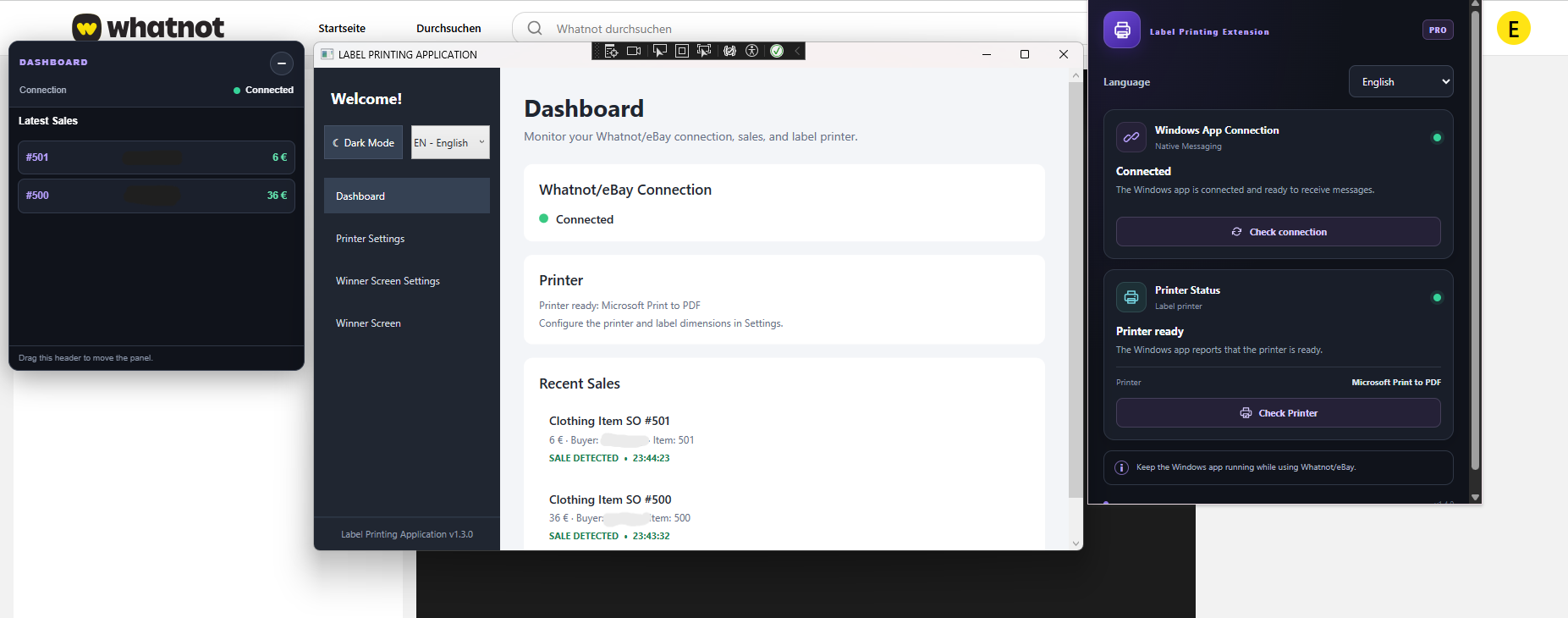
Automatically detect live sales, print personalized thermal labels, and keep every buyer's orders organized — from sale to shipping box.

Designed for live-selling workflows on Whatnot and eBay Live.

LiveLabelPrinter ● Product preview
🏷️

Labels ready for every sale

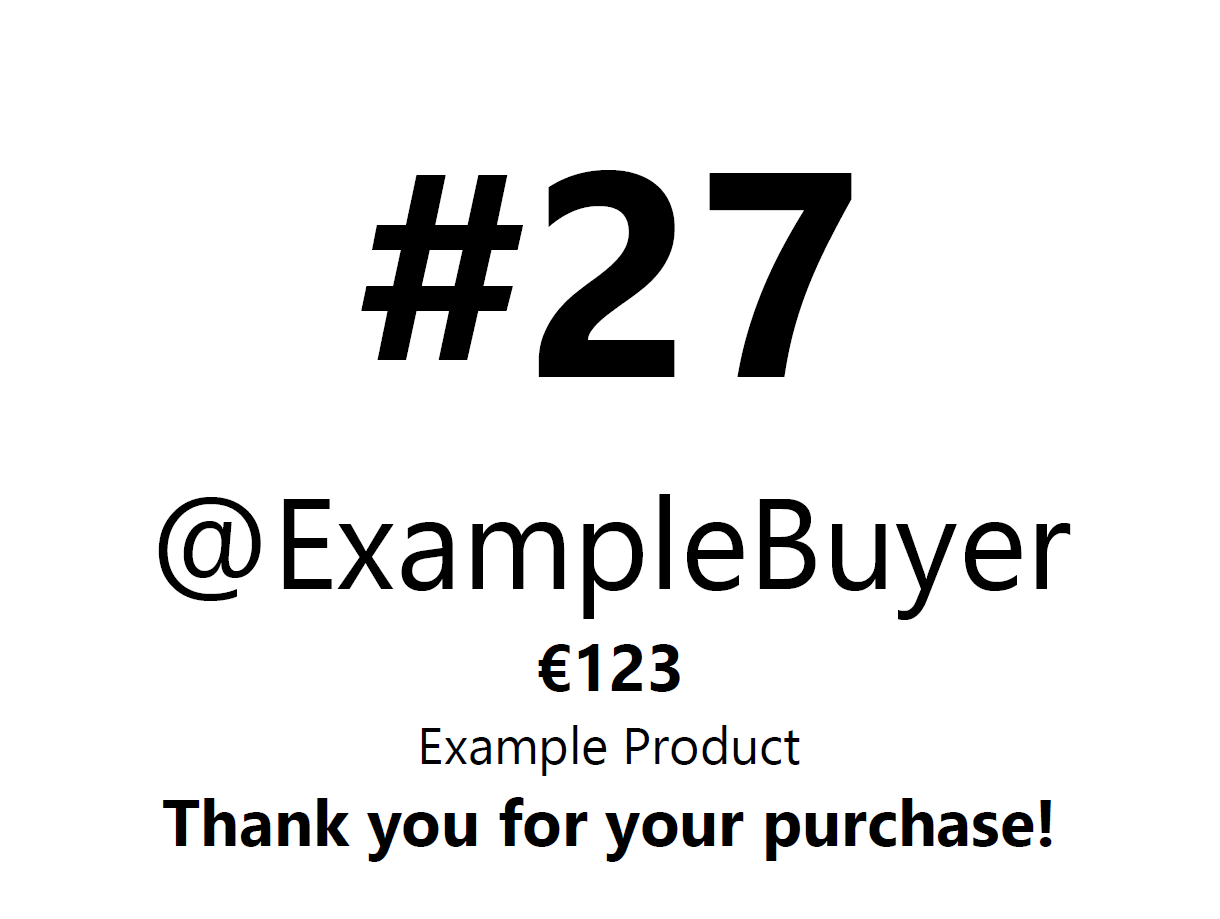
Put key order details where you need them, right on the thermal label.

Buyer@ExampleBuyer
Product number#27
Sale price (optional)€24.00
MessageThank you!
📦

Know what's in every box

Find a buyer's assigned box number and review the box contents while packing.

Buyer@ExampleBuyer
Box numberBOX-07
Box contents3 items
Packing statusOrganized
⚡

A smoother shipping workflow

Reduce manual label work and help prevent orders from being packed or shipped incorrectly.

Sale detected✓
Label prepared✓
Buyer box matched✓
Built for live-sellers on
Whatnot eBay Live
Work smarter

From live sale to the right box

Keep order details clear, labels consistent, and packing more organized.

⚡

Automatic sale detection

Detect sales through supported live-selling workflows and send sale details to the companion Windows application.

🏷️

Personalized thermal labels

Print the buyer's name and product number, with optional sale price, stream description, and a thank-you message.

📦

Buyer-specific box tracking

See which box belongs to a buyer and review its contents, including when the buyer purchases multiple items.

✓

Fewer shipping mistakes

Make order matching clearer and help reduce packing errors, mis-shipments, and avoidable returns.

⏱️

Faster fulfillment

Spend less time manually preparing labels and more time engaging with buyers and managing your sales.

🖥️

Windows companion app

Connect the supported sale-monitoring workflow to your Windows label-printing application and thermal printer.

Simple workflow

Three steps to better packing

STEP 01

Connect your setup

Install the supported extension and Windows companion application, then connect your compatible thermal printer.

STEP 02

Detect sales and print

Send supported sale details to the printing application and prepare labels with the information you need.

STEP 03

Match buyers and boxes

Use buyer-specific box numbers and box contents to help keep multi-item orders organized.

Ready to get organized?

Make live-sale shipping easier

Contact us to learn more about LiveLabelPrinter and whether it fits your workflow.

Contact us ↗

General inquiries:
Support: